Setup
Open the slides (you need to be logged in to your Columbia Google account to see them)
I'm using
Pick your app to see how to set it up.
Set up DeepSeek Harness
- Download the DeepSeek Harness
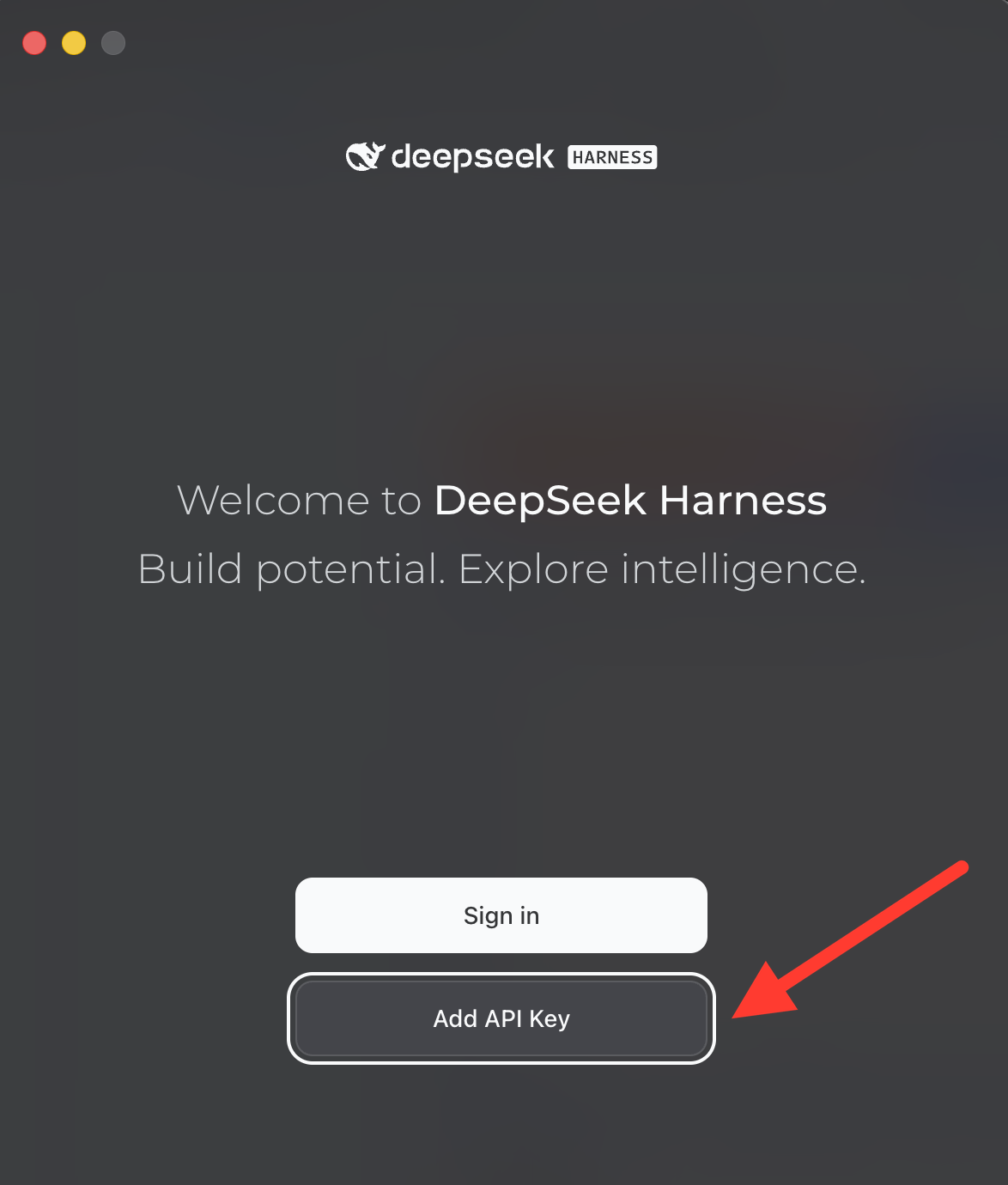
- Open DeepSeek Harness and click Add API Key (not "Sign in").
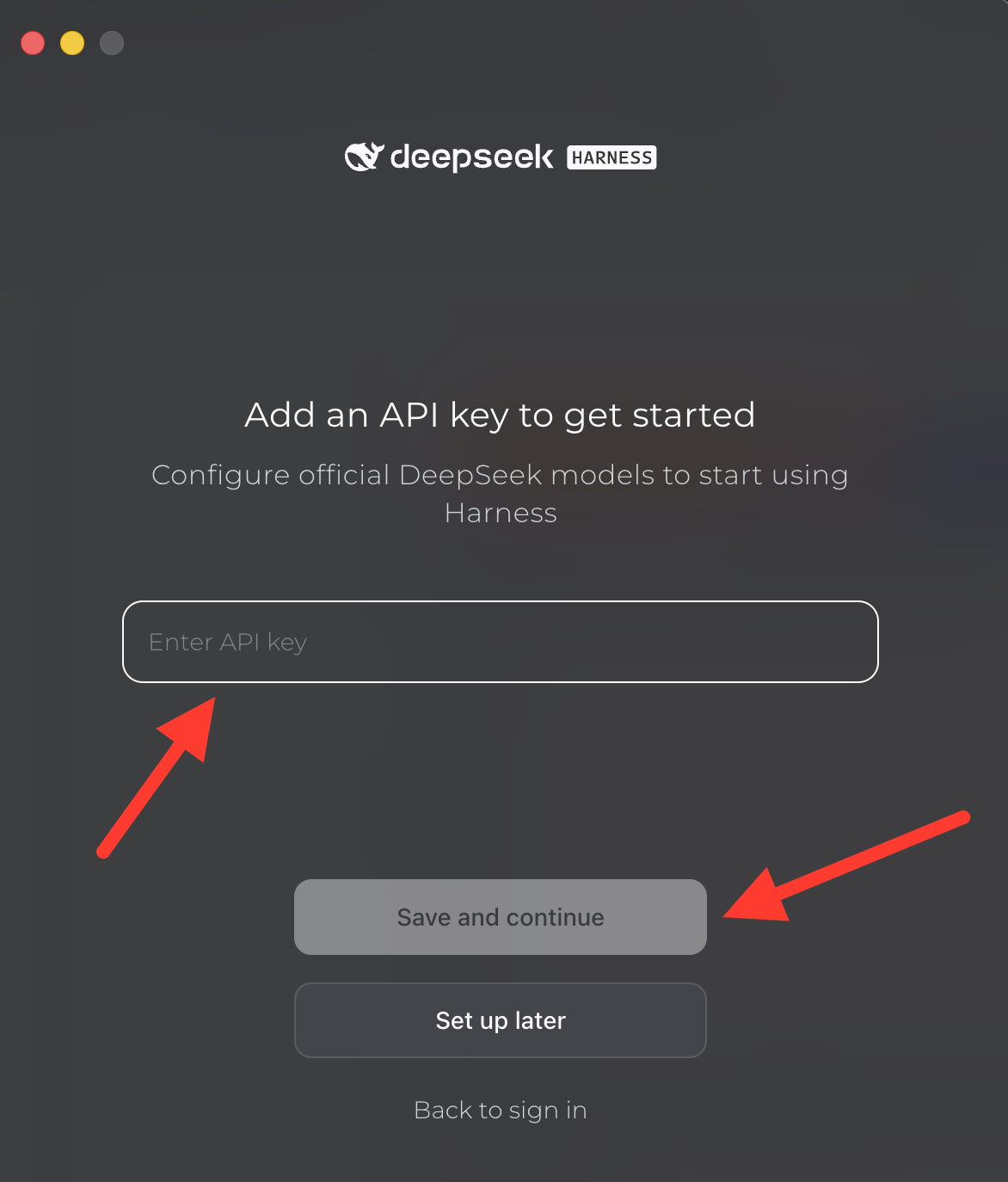
- Paste in the API key provided by AI Club in the slides (log in to your Columbia Google account to see it), then click Save and continue.
Set up the ChatGPT Desktop App
- Download the ChatGPT Desktop App and install it.
- Open it and log in to your ChatGPT account.
Set up the Claude Desktop App
- Download the Claude Desktop App and install it.
- Open it and log in to your Claude account.